Setup for Seatsurfing
With Seatsurfing, Tinta shows whether a room or desk is free or booked. With an NFC-equipped Tinta, people can book the space by holding their phone to the sign.
Steps
- Insert the batteries and press any button. ▶
- Join Tinta's setup Wi-Fi, as in Start here. ▶
- On the settings page, choose the Wi-Fi Tinta will use every day and enter its password. Save. ▶
- Enter your Seatsurfing server. Save. ▶
- Tap Done. Tinta checks everything. Tap Start. ▶
-
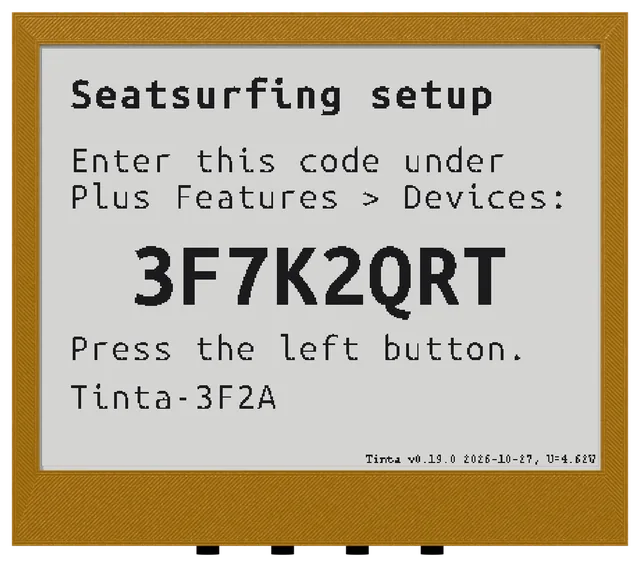
Press the left button. Tinta signs in to your Seatsurfing server and shows a pairing code. ▶
-
In Seatsurfing, enter the code under Plus Features > Devices and assign Tinta to a room or desk. ▶
-
Press the left button again. Tinta shows the space and keeps it up to date. ▶
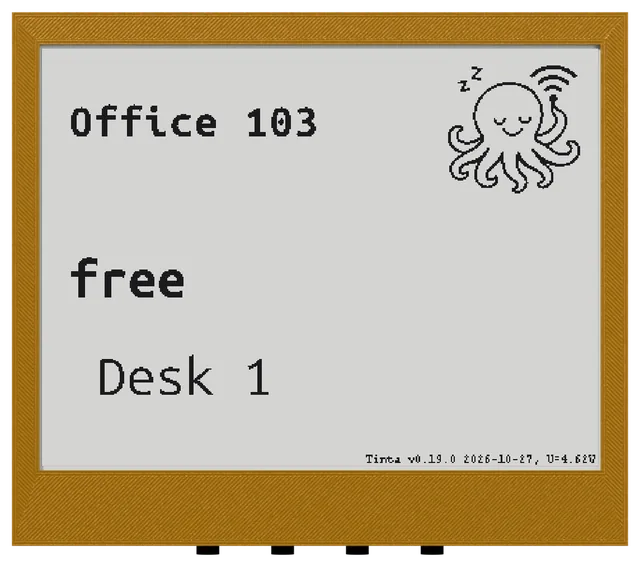
The 7.5-inch Tinta can show up to three spaces.